Free Screen & Camera Recorder!
No Time Limits!No Watermarks!No Installs Required!
Record your screen and camera, then edit your video right in your browser. Use your webcam or connect your phone camera by scanning a QR code. No app or extra webcam to buy.
For YouTube, tutorials, presentations, and social clips. Free recording and built-in editing.
Use your phone as your camera
Already have a phone? Use its camera for your recordings instead of buying a separate webcam. Connect in your phone's browser, with no app to install.
- 1
Open the QR code
On your computer, open the Studio, then Advanced Settings. Under Webcam, choose "Use phone as camera".
- 2
Scan with your phone
Scan the QR code, open the link and tap "Start phone camera". Allow camera access when asked.
- 3
Choose it and record
When the preview appears on your computer, choose "Use phone camera". Keep the phone page open and its screen on while recording.
Your phone and computer both need internet. Some mobile or workplace networks may block the connection. If it does not connect, try another network or use your webcam.
One Tool from Capture to Finished Cut
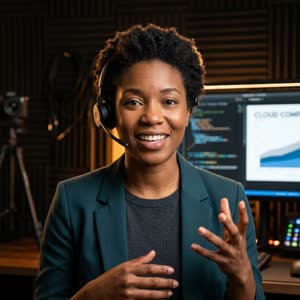
Share your screen with your real-time webcam in the small circle bubble, choose your layout, and record in crisp 1080p without switching apps.

Free Includes Everything to Record & Edit Today
We believe in validating our core product with genuine utility. All of these features are fully active and free right now.
Online Screen Recorder
Capture your entire screen, an application window, or a browser tab with system audio in crisp definition without desktop software.
Free Camera Recorder
Record your webcam with custom shapes (circle, square, squircle), sizing, framing styles, and corner positioning.
Screen Recorder with Webcam
Hardware-accelerated browser compositor blends your facecam and screen into a single synchronized stream with zero lag.
Free Video & Voice Recording
Capture crisp microphone audio with live level meters, mute toggles, and dual mic plus system sound routing.
Browser Screen Recorder Presets
Instant creator presets for YouTube (16:9), Social Video (9:16 Shorts/Reels), Tutorials, Gaming, Courses, and Presentations.
Free Online Video Editor
Visual timeline editor with clip trimming, splitting, segment deletion, and undo/redo — all built straight into your browser.
Social Video Aspect Ratios
Convert or re-frame your project into 16:9 widescreen, 9:16 vertical TikTok/Shorts, 1:1 square, or 4:5 social feeds.
1080p Export • Zero Watermarks
Render and download your finished video directly to your computer. Fast client-side rendering with no watermark or logos added.
Private Local-First Storage
Your recordings stay on your device unless you choose a future cloud feature. Zero recording video data is stored on cloud servers.
Built for Real Creator Workflows
Whether you are recording technical guides or YouTube videos, Creator Recorder adapts to your format.
YouTube Creators
Clean 16:9 widescreen layout with professional picture-in-picture webcam bubbles and easy pause/resume controls.
Social Video & Shorts
9:16 vertical mode framed specifically for TikTok, Instagram Reels, and YouTube Shorts without awkward black bars.
Teachers & Educators
Highlight cursor clicks, annotate live slides, and split lessons into easy-to-follow module chapters.
Presenters & Teams
Record product demos, bug reproductions, and slide presentations with clear microphone audio and instant local export.
We're Building More for Serious Creators
Creator Recorder Free is available today. We are designing Pro for creators who need cloud synchronization, AI acceleration, and an ad-free workspace.
Access your project files from any device.
High-accuracy subtitles for social and courses.
Automatic summary clips from long recordings.
Custom logos, intro cards, and brand colors.
Instant shareable links without uploading to third parties.
Uninterrupted layout dedicated to your flow.
* Pro is in active research and development. Join the waitlist to receive early access and notification when it opens.
Client-Side Architecture by Design
Your video is processed locally in your browser and isn't uploaded to Creator Recorder's cloud storage. Your recordings stay on your device unless you choose a future cloud feature.
Frequently Asked Questions
Can I use my phone instead of a webcam?
Yes. In the Studio, open Advanced Settings and choose "Use phone as camera" under Webcam. Scan the QR code with your phone, allow camera access, then choose the phone preview on your computer. No phone app is needed. Both devices need internet, and some networks may block the connection.
Is Creator Recorder really a free screen recorder?
Yes. Creator Recorder is a 100% free screen recorder with no watermarks, no recording time limits, and no hidden subscriptions for our free core features. Screen recording, webcam compositing, timeline editing, and 1080p local MP4/WebM exports are completely free.
Do I need to install software or Chrome extensions?
No. Creator Recorder runs entirely within standard web browsers using native Screen Capture and MediaStream Web APIs. There is nothing to install: no software, desktop app or Chrome extension.
Can I record my screen and webcam at the same time?
Yes. You can record your screen and camera simultaneously with customizable picture-in-picture size and corner positioning, as well as separate screen-only or camera-only modes.
Is there a free online video editor included?
Yes. Immediately after recording, you can edit your video directly in your browser. Trim unwanted sections, split clips, re-frame aspect ratios, and download your finished video with zero watermarks.
Where are my recordings stored and are they private?
Your video data is captured and processed locally in your browser memory. Finished videos download directly to your local computer and are never uploaded to external servers without your permission.
When will Creator Recorder Pro be available?
Pro is currently in active development. We are rolling it out in staged releases once our Free launch feedback is thoroughly evaluated. You can join the Pro waitlist with one click to get notified first.
Ready to Create Your Next Video?
Open the studio now. Record your screen, camera, and voice with built-in tools. No account needed to test recording.